
Loyalty points
How customers earn points, how points turn into money, and the rules that control both.
What it is
Loyalty points are rewards a customer earns for spending money at your restaurant. An admin turns loyalty points on from Brand Settings → Loyalty & Store Credit. Once it's on, every order that qualifies adds points to the customer automatically. Customers can later turn those points into store credit and spend it on a future order.
Loyalty points are turned on separately for each brand, in Brand Settings. If loyalty is off, customers earn nothing and can't convert anything. The rest of this page only applies once it's turned on.
Points and credit are two different balances. Points are what a customer earns. Credit is what a customer spends. See Credit balance for more on the spending side.
How it works
Earning points
The order needs to have a customer attached to it. If a walk-in customer doesn't give their details, no points are earned. This is why it's important to take a phone number at the till.
The brand decides how much money it takes to earn one point. The order amount is divided by that number, and the result is always rounded down.
Once per order, and only once.
Points are always rounded down. If ₹100 spent earns one point, a ₹199 order earns one point, not two. The leftover ₹99 is not carried over to the next order.
One earn per order, permanently. If a bill is changed or recalculated after points were already given, the customer does not get extra points. The system always checks whether that order has already earned points before adding any more. This stops someone from saving the same bill over and over just to collect extra points.
Converting points into credit
Points aren't worth anything on their own — a customer has to convert them into credit first. The brand sets three rules, and a conversion must pass all three:
| Rule | What it means |
|---|---|
| Minimum to convert | Fewer points than this cannot be converted at all |
| Conversion block size | Points must be converted in exact multiples of this |
| Value per block | What each block is worth in rupees |
From their account on your website.
The system checks three things: does the customer have enough points to meet the minimum, is the amount an exact multiple of the block size, and does the customer actually have that many points. All three must pass before anything happens. If even one check fails, nothing is converted, and the customer is told why.
The points are removed and the same value is added as store credit, both at once. If anything goes wrong partway through, neither balance changes — a customer never ends up with points removed but no credit added.
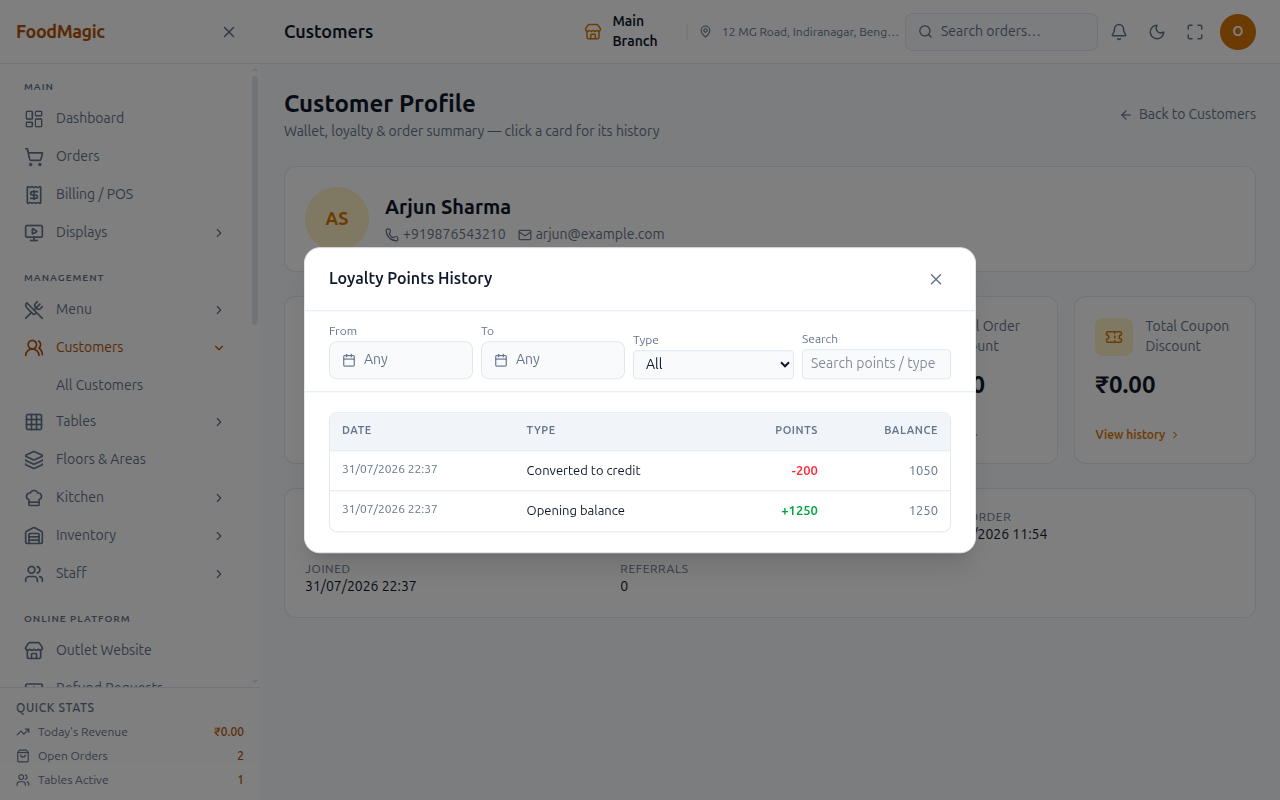
Conversion must be an exact multiple of the block size. For example, if the block size is 100, a customer with 150 points can only convert 100 of them. The other 50 points stay as points until they reach a full block.
Refunds as points
When an order is refunded, you can give the customer loyalty points instead of money back. This is a deliberate choice instead of a cash refund, and it keeps the money inside the business.
Points from a refund are also always rounded down, using the same block-size and value rules as a normal conversion. This is done on purpose, as a safety margin. It stops a customer from refunding money into points and then converting those points back into slightly more credit than they started with.
What can go wrong
| Situation | Result |
|---|---|
| Order taken without a customer attached | No points earned, and no way to add them later |
| Loyalty switched off at brand level | Nothing earns, nothing converts |
| Customer has points but below the minimum | Cannot convert at all |
| Customer has points but not a full block | Can only convert the whole blocks |
Where to see it
| Screen | Shows |
|---|---|
Customers (/customers) |
Points balance per customer, and the brand-wide total |
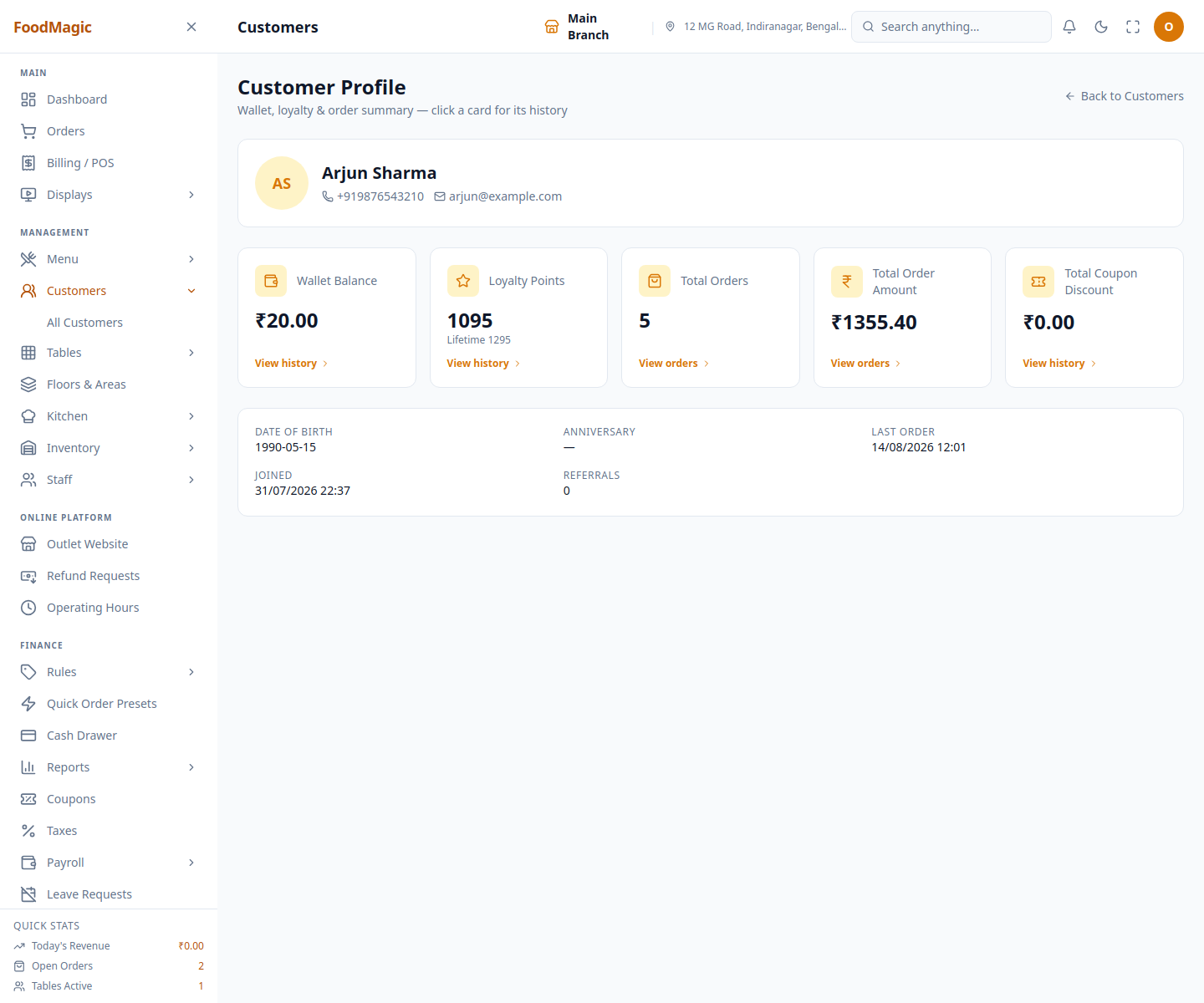
| Loyalty Points tile on the Customer Profile | Current points, lifetime points, and a filterable Loyalty Points History drawer — see Customer records |
| Customer Report | Loyalty against each customer's spending history |
| Front website account | The customer's own points, and the convert option |
How it is secured
Staff don't earn or convert points by clicking a button. Points are added automatically when an order is billed, and customers convert their own points from their own account on your website. There is no screen where an admin can manually add or remove points. The only way points change is through a real order or a real conversion.
The three conversion rules — minimum, block size, and value per block — and the on/off switch all live on the brand's settings screen. Only the brand super-admin can change them. Outlet staff can't change how loyalty works. They only see the results of it on the Customers screen and the customer profile.
Seeing a customer's points balance and history follows the same rule as seeing the customer record at all. See Customer records → How it is secured for exactly which roles can do this, including a known weak spot: this view is not limited to one outlet.
When a customer converts points into credit, they get a confirmation message by SMS, WhatsApp, or email, depending on what contact details are on file. This message is sent after the conversion has already gone through. If the message fails to send, it's noted quietly in the background, but it never cancels or blocks the conversion — the customer has already seen their new balance in their account by then.
There's no known weakness specific to earning or converting points, beyond the brand-wide (not outlet-specific) customer visibility described on Customer records. Any role that can see a customer at all can also see their points.
Related pages
The list, labels, and the customer profile's stat tiles.
The wallet, redemption at the till, and every movement in and out.
- Orders — placing and billing an order is what triggers points to be earned in the first place.