
My Outlet
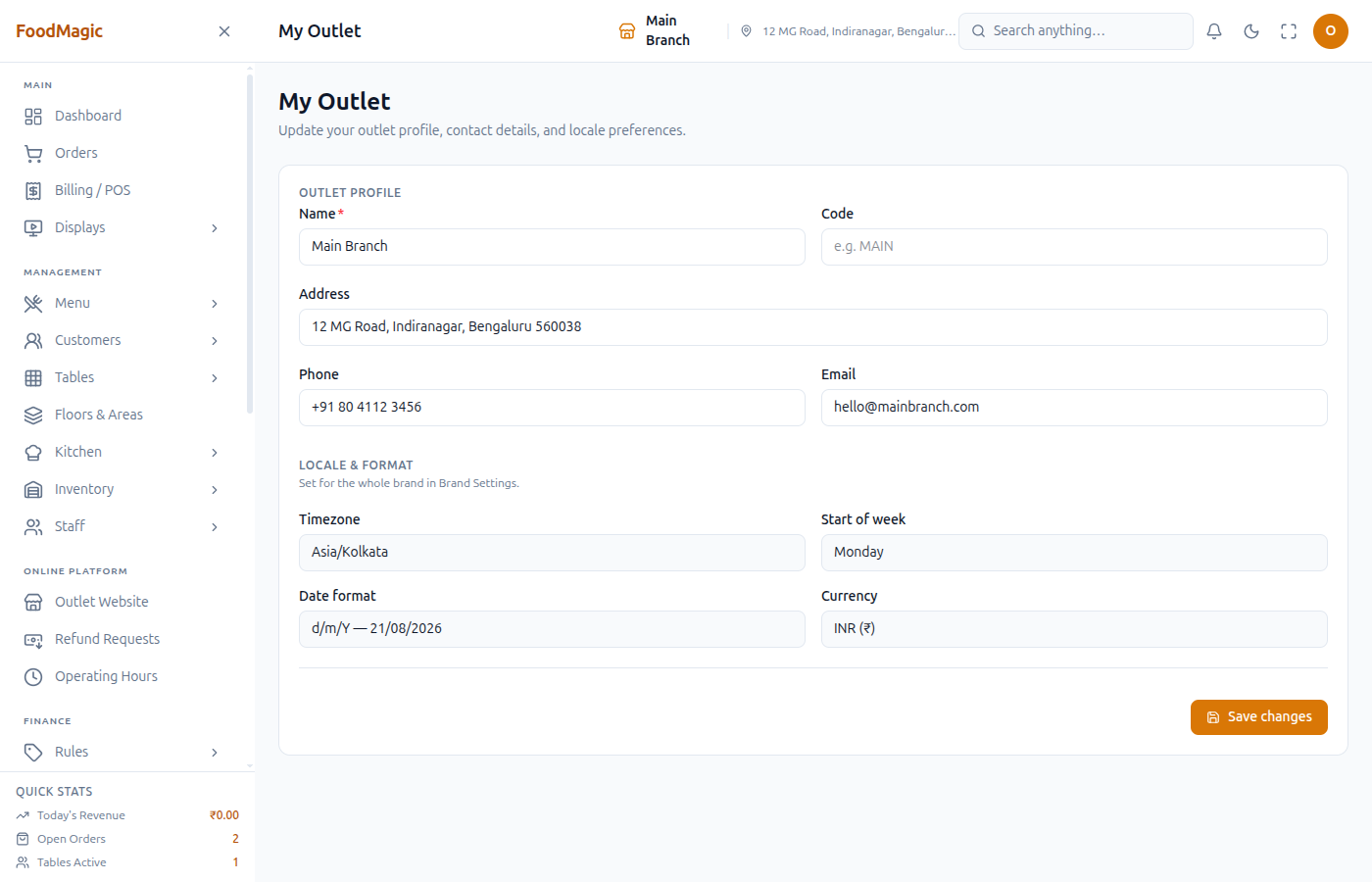
The outlet profile screen — name, contact details, and the read-only regional fields set at brand level.
My Outlet is the branch's own profile — name, code, address, contact details — plus a read-only view of the regional settings the brand already set. It's usually the first screen an Outlet Owner fills in once a Super Admin has created the branch and configured Brand Settings.
What it is
My Outlet — one form, saved with a single Save changes button. In the sidebar: System → My Outlet.
Outlet profile
- Name — required. The branch's display name.
- Code — a short internal code (e.g. "MAIN").
- Address — full street address.
- Phone, Email — this branch's contact details.
Saving updates more than this screen: Name and Address appear in the header bar on every page, the brand's Outlets list, and the outlet picker for multi-outlet accounts; all four fields print on receipts (Billing / POS) and on the printed menu.
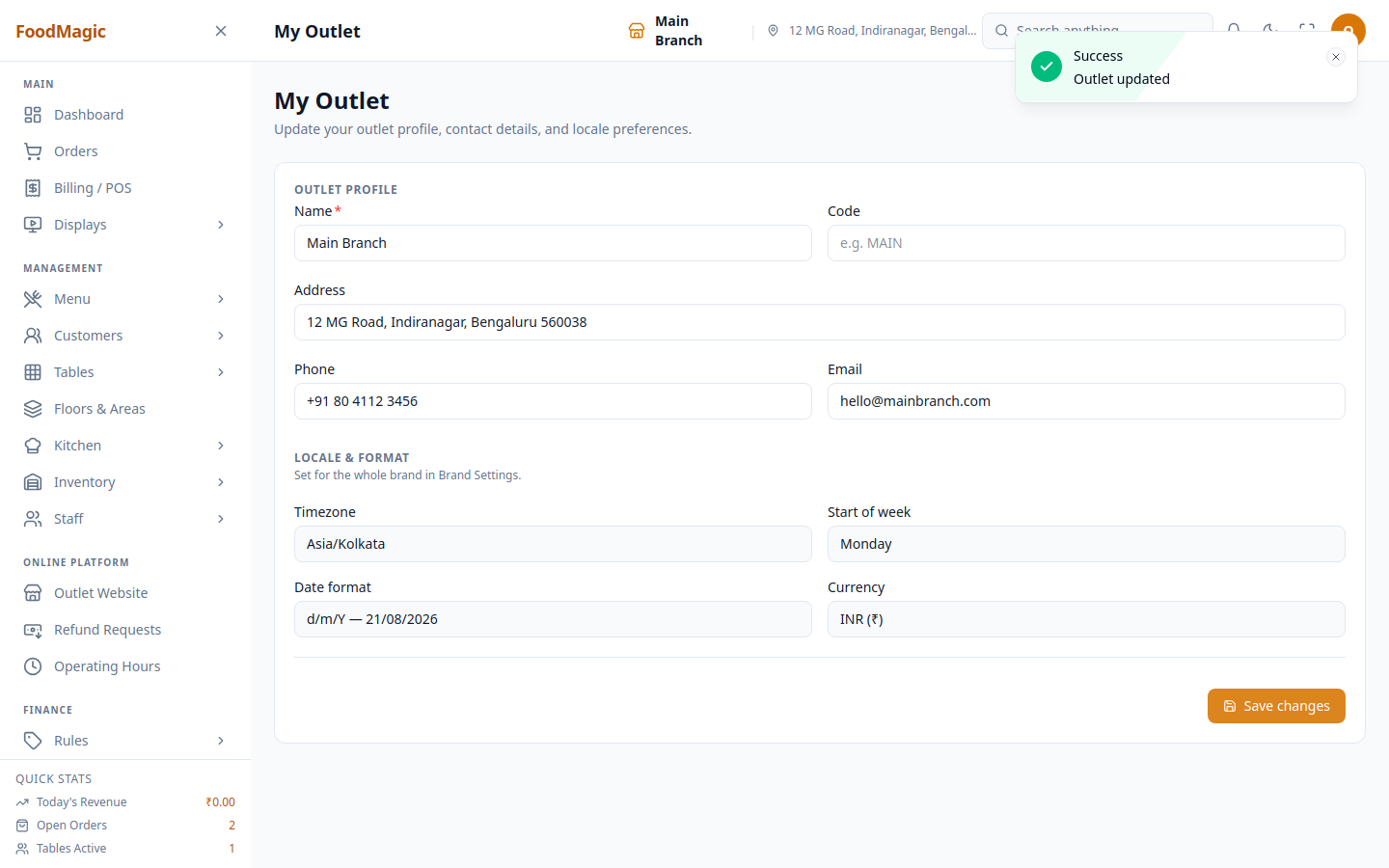
Locale & format
Read-only: Timezone, Start of week, Date format, Currency. All four are labelled "Set for the whole brand in Brand Settings" — they're set once for the entire brand and every outlet follows the same values. Change them from Brand Settings, not here.
Real workflow — validation
Name is required. Leaving it blank and clicking Save changes blocks the submit before it reaches the server:
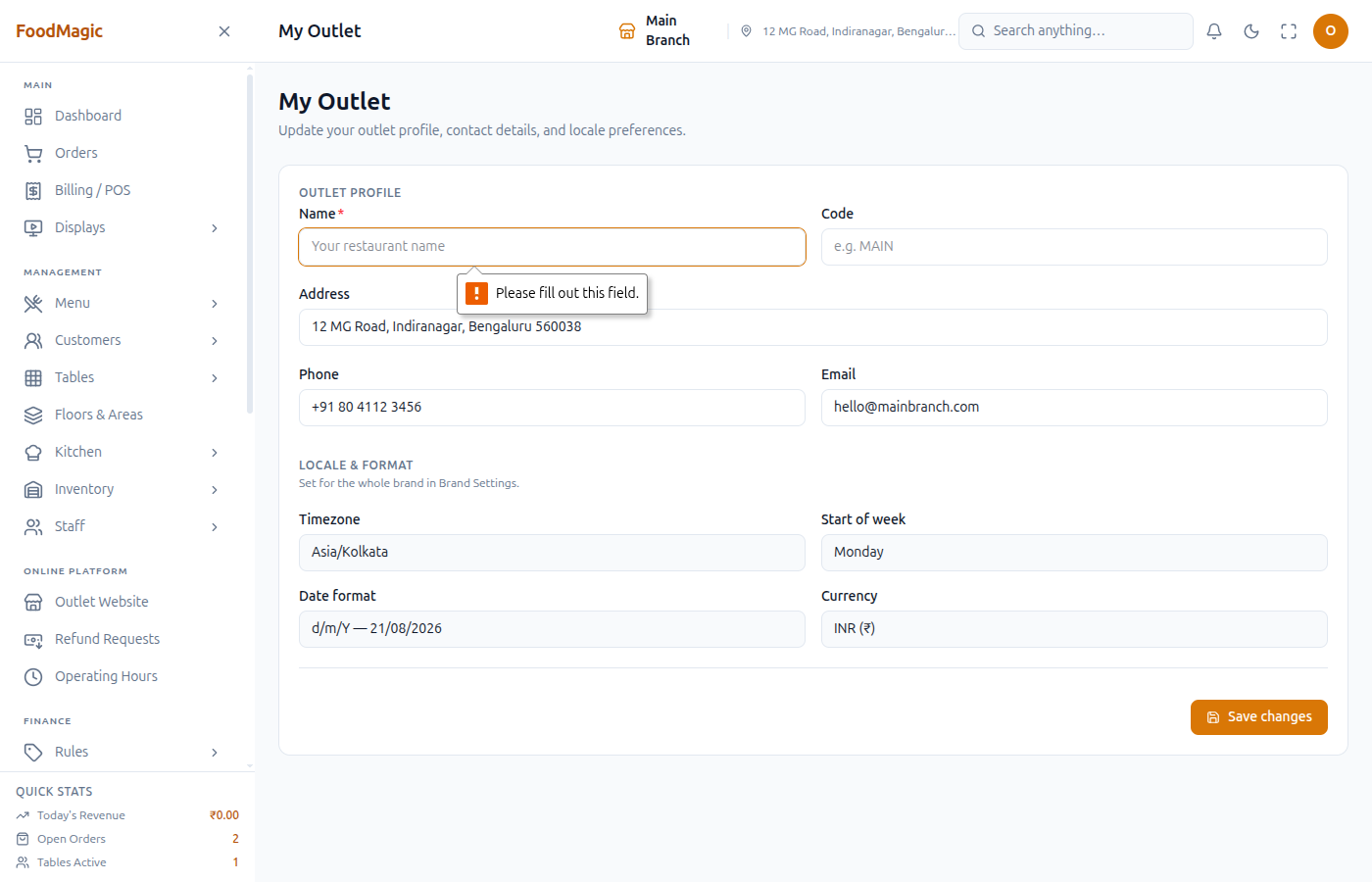
A Name of spaces only slips past that browser check (it isn't empty) but still fails to save — the screen shows a "Outlet name is required" toast instead.
Common questions
Can I change the timezone, date format, or currency here?
No — those are read-only on purpose. Open Brand Settings instead; it's brand-wide.
Who can edit this screen?
Anyone with outlets.update.own — normally the Outlet Owner role.
Troubleshooting
| Problem | Likely reason | What to do |
|---|---|---|
| Save button does nothing | Name field is completely empty | Fill in Name — it's required |
| "Outlet name is required" toast, tooltip didn't show | Name is spaces only | Type an actual name, not just spaces |
| Timezone / currency fields are greyed out | They're brand-wide, set once from Brand Settings | Ask the brand's Super Admin to change them there |