
Outlets and brands
Creating branches, setting operating hours and holiday closures, and controlling which modules each outlet uses.
What it is
A brand sits at the top of the business; outlets are the branches under it. The brand owns the business's identity and brand-wide settings. Each outlet is one physical branch, with its own staff, tables, menu prices and till.
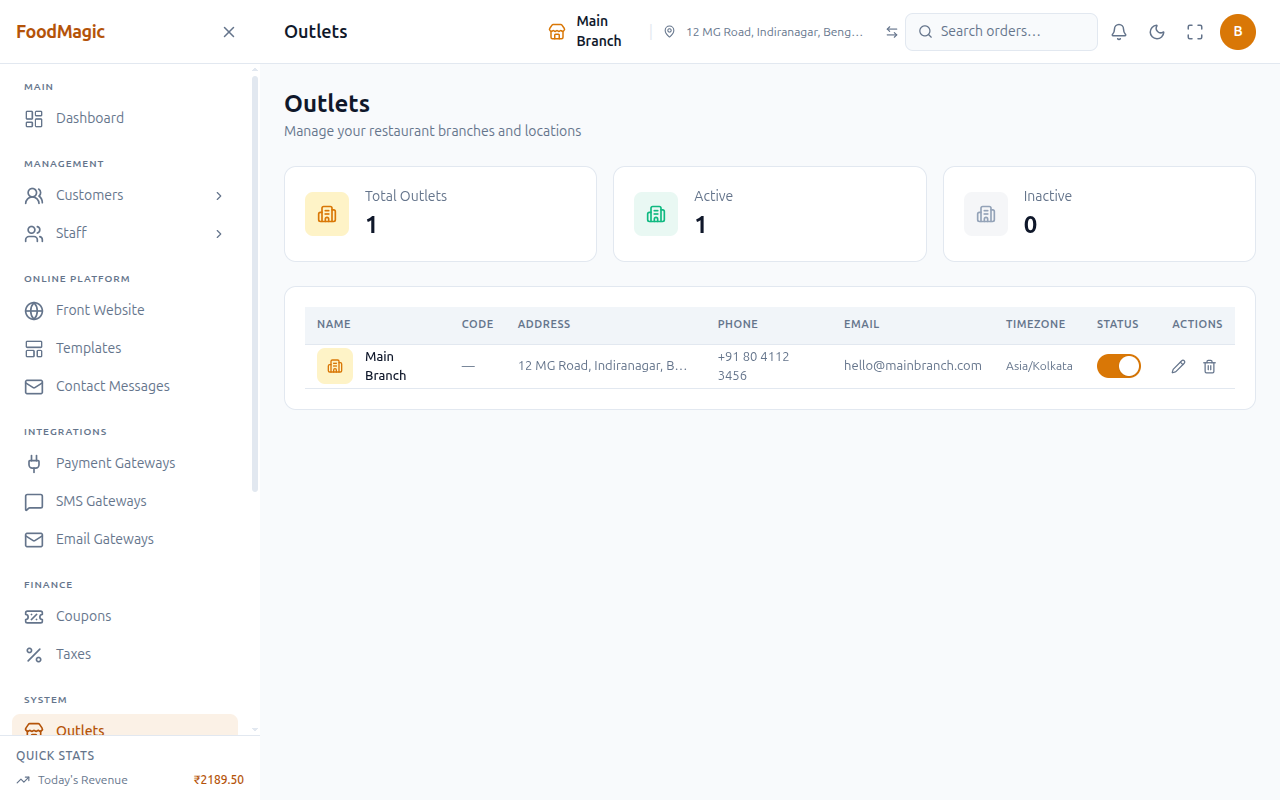
- Super Admin manages the brand and creates/removes outlets. Outlet Owner manages only their own branch — profile, hours, holiday closures, and which optional features it shows.
- Lives across five screens: brand-level Outlets, plus outlet-level My Outlet, Operating Hours, Holiday Closures, Outlet Modules.
- This deployment runs one outlet, so Add Outlet is hidden. A second outlet can be switched back on at any time — the capability is still there under the hood.
How it works
One record holds the business's identity and brand-wide settings — currency, date format, loyalty on/off. Anyone signed in can view these (many screens depend on them); changing them needs a separate permission.
Adding a branch creates only its own record — name, code, address, phone, email, timezone, active/inactive. It does not create a manager account; someone still has to create a login via Users, or the branch has nobody who can sign in.
Timezone is picked from a fixed list, not typed: Asia/Kolkata, Asia/Dubai, Asia/Singapore, Asia/Tokyo, Europe/London, America/New_York, America/Chicago, America/Los_Angeles, Australia/Sydney, Pacific/Auckland.
Each outlet has a weekly open/close schedule, plus one-off holiday closures — both control whether the storefront shows the outlet as open today. Managing holiday closures is a separate permission from managing the weekly schedule, so one can be delegated without the other.
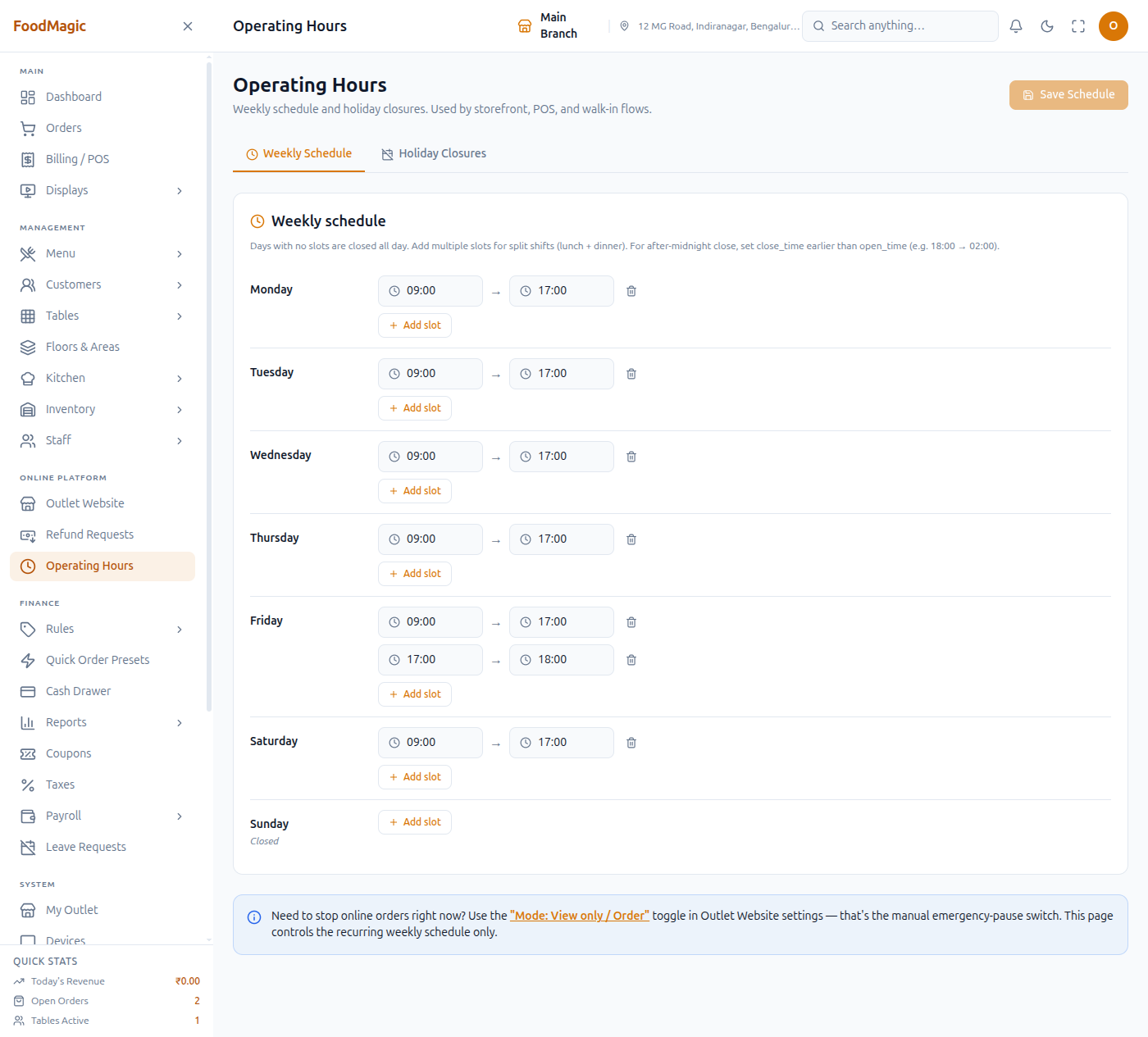
Edits the same branch record as the brand-level Outlets screen — not a separate system, just a single-outlet view. Access is locked to the signed-in user's own branch. See My Outlet for the full field reference.
Reached from the sidebar, lets a branch switch optional features on or off. A core feature can't be turned off. A branch can hide a feature the brand allows, but can't turn on one the brand's own Platform Modules has switched off entirely.
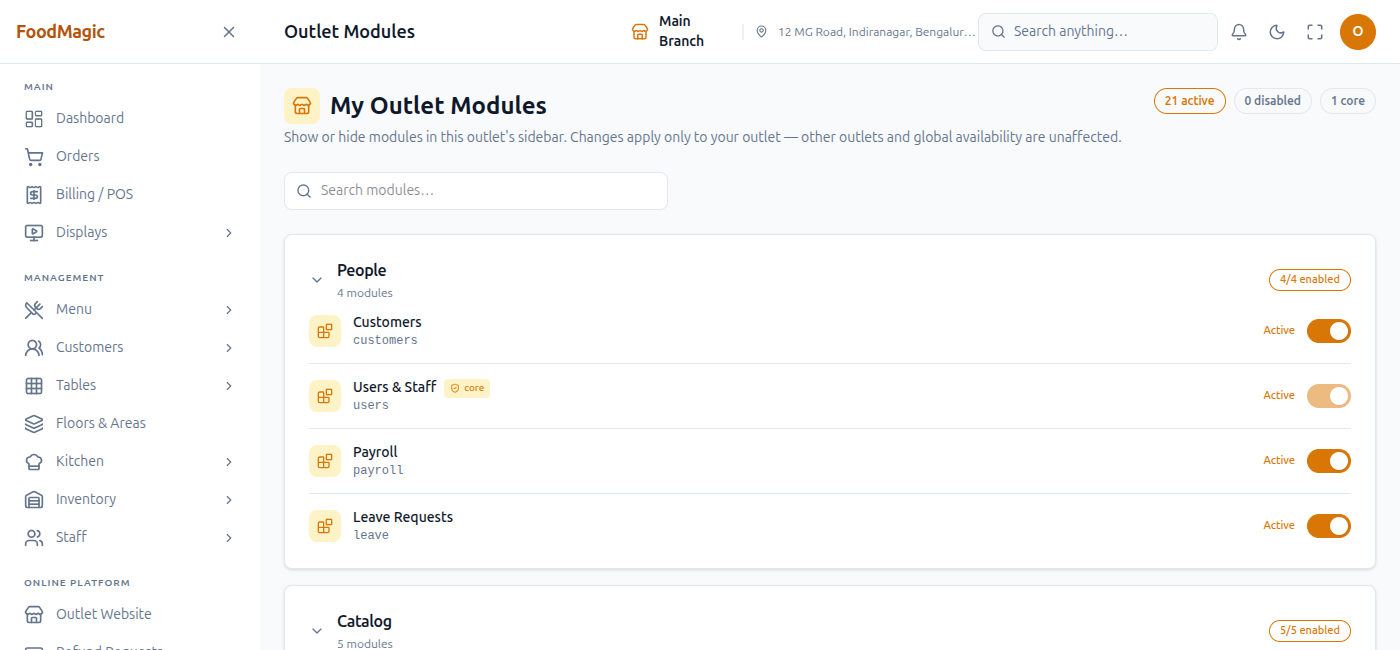
Confirmed on a live install: 21 features here, 1 marked core. The brand-level Platform Modules screen lists 25, 4 core — the gap is brand-only admin items (like Brands and Outlets themselves) that never appear on an outlet's own toggle screen.
Real workflow — hiding a module
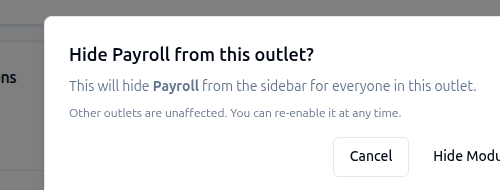
Turning a module off isn't instant — a confirmation dialog names exactly what it affects:
Two screens that aren't what their names suggest
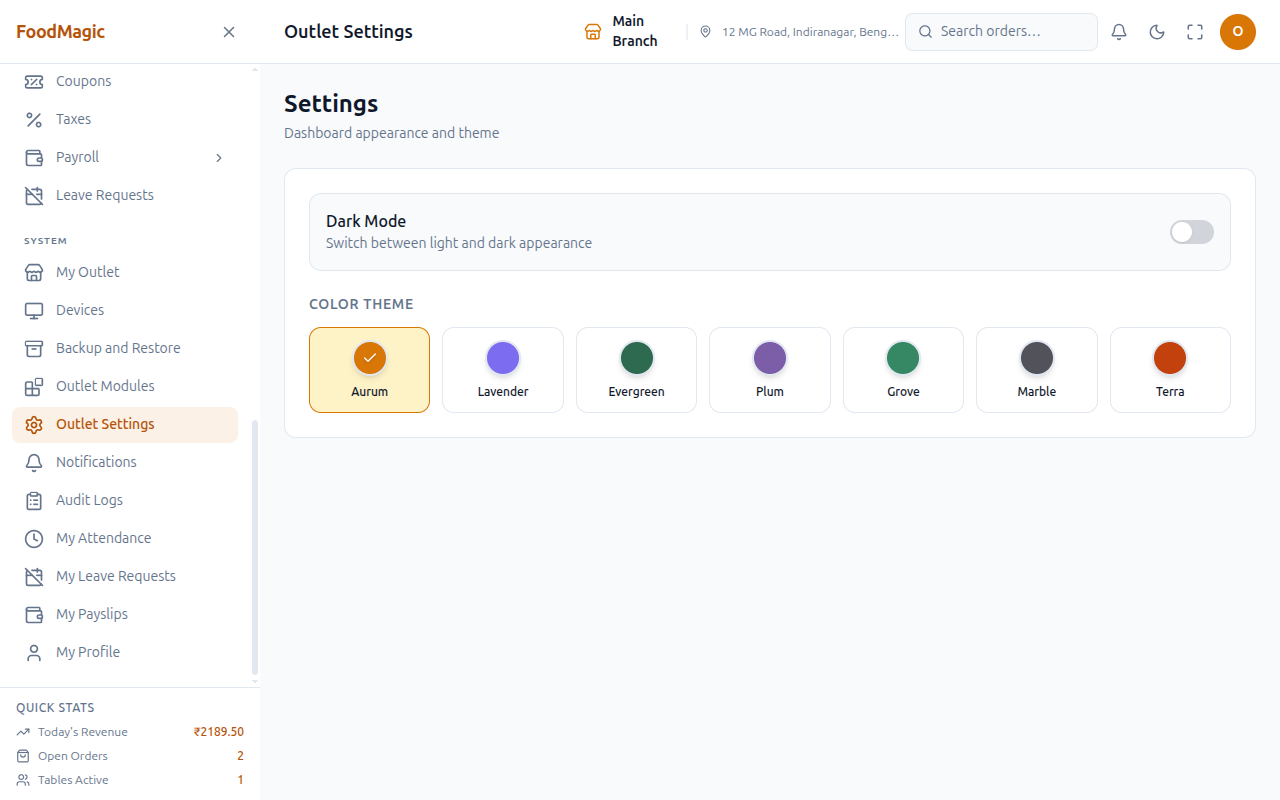
Outlet Settings isn't about outlet settings. Despite the name, it's only a dark-mode toggle and colour-theme picker — neither talks to the server, both are remembered per-device only. A real outlet-settings feature exists behind the scenes but nothing current uses it (Taxes, the one screen that used to, moved to brand-level).
The permission that unlocks My Outlet still carries an old description — "the Outlet Settings page" — left over from before the two screens split apart. It controls My Outlet, not the page above.
Row actions on the brand-level Outlets screen
Columns: Name, Code, Address, Phone, Email, Timezone, Status, Actions. No Add Outlet button, as above. Each row has a Status toggle (active ⇄ inactive) plus Edit and Delete icons — each its own permission.
Status takes effect in one click — no confirmation dialog. On a single-outlet deployment, this is the riskiest control on the screen: nothing stands between a misclick and the branch going offline.
How it is secured
| Action | Who |
|---|---|
| List/view any outlet, create, edit, delete an outlet | Super Admin only |
| Manage brand-wide settings | Super Admin only |
| Edit their own outlet (My Outlet) | Outlet Owner |
| Toggle their own outlet's modules | Outlet Owner |
| Manage their own outlet's hours and holiday closures | Outlet Owner |
Waiters and delivery riders have no access — these screens don't show up for them. Each row above is its own permission, so, for example, holiday closures can be delegated without handing over the weekly schedule. An Outlet Owner's edit access is locked to their own branch, even where their account can see another branch's row on screen.
The Outlets screen doesn't separate brands. Anyone who can list outlets sees every outlet in the system, not just their own brand's. Harmless with one brand; would need fixing before a second, unrelated brand joins the same install.
A branch needs a name and a real brand; name has a length limit, phone accepts only digits and standard phone characters. The weekly schedule and holiday closures are each validated before saving.
Creating, editing, or deleting an outlet is recorded in the audit trail. Changes to hours and holiday closures are not — no built-in history if one turns out wrong.
Creating an outlet creates nobody to run it. Only the branch record is created. Add a user via Users as a required second step every time.
Related pages
- My Outlet — the branch profile screen in full.
- System tools → Module control — the brand-level screen deciding what an outlet may turn on.
- Roles & Permissions — where these rights are assigned.
- Settings reference — every settings screen, including the misleadingly-named Outlet Settings above.
- Tables and floor plan — tables, areas and floors all belong to the same outlet boundary described here.