
Tables and floor plan
Laying out your restaurant — floors, areas and tables, merging and splitting tables during service, and the wall-mounted display boards.
What it is
Two parts describe your physical restaurant. Areas covers the floor plan — floors and zones. Tables covers the tables themselves, and what happens to them during service: merging, splitting, and freeing them up.
- Who uses it — The Outlet Manager builds and edits the floor plan. Waiters see the tables grid and free up a table once guests leave, but they don't change the layout itself.
- Where it lives — The Floors & Areas screen, the Tables screen, Table Merges, Table Splits, and the two wall-mounted Table Display boards. All of these are part of the outlet's own menu.
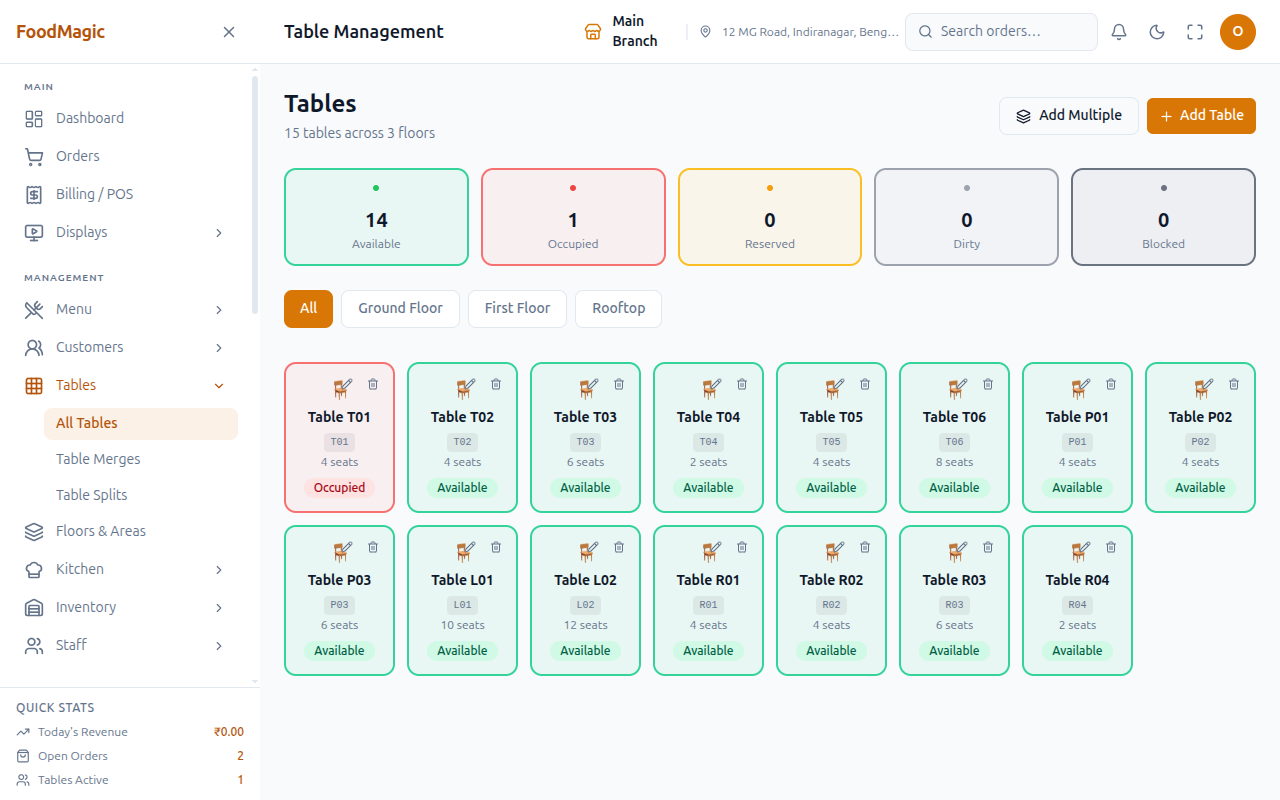
- Current status — Live and in use. Floors, then Areas, then Tables form a strict order — each level belongs to the one above it. A table's status is always one of five values, shown the same way everywhere: Available, Occupied, Reserved, Dirty (needs cleaning before it can seat again), and Blocked (out of service).
How it works
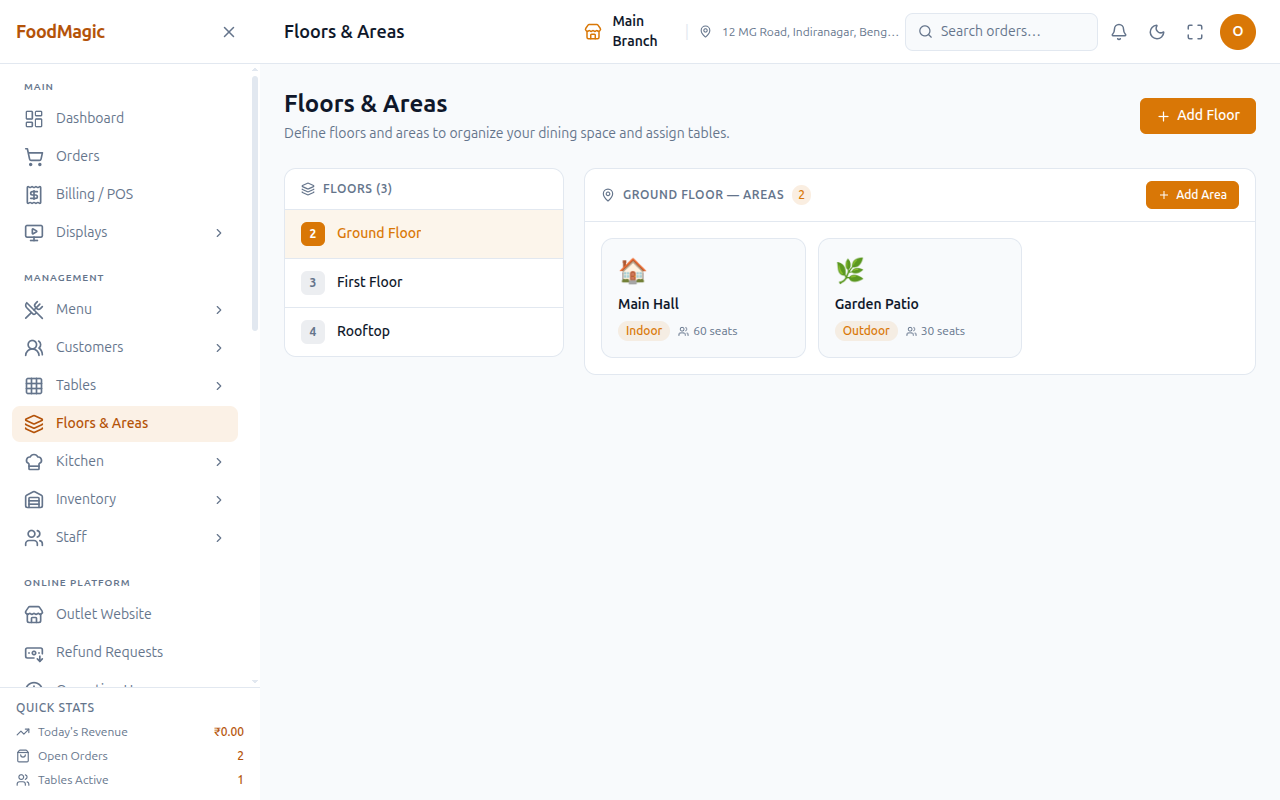
The levels of the building — ground floor, first floor, terrace.
Zones within a floor — main hall, garden, private dining, bar. Each area belongs to one floor.
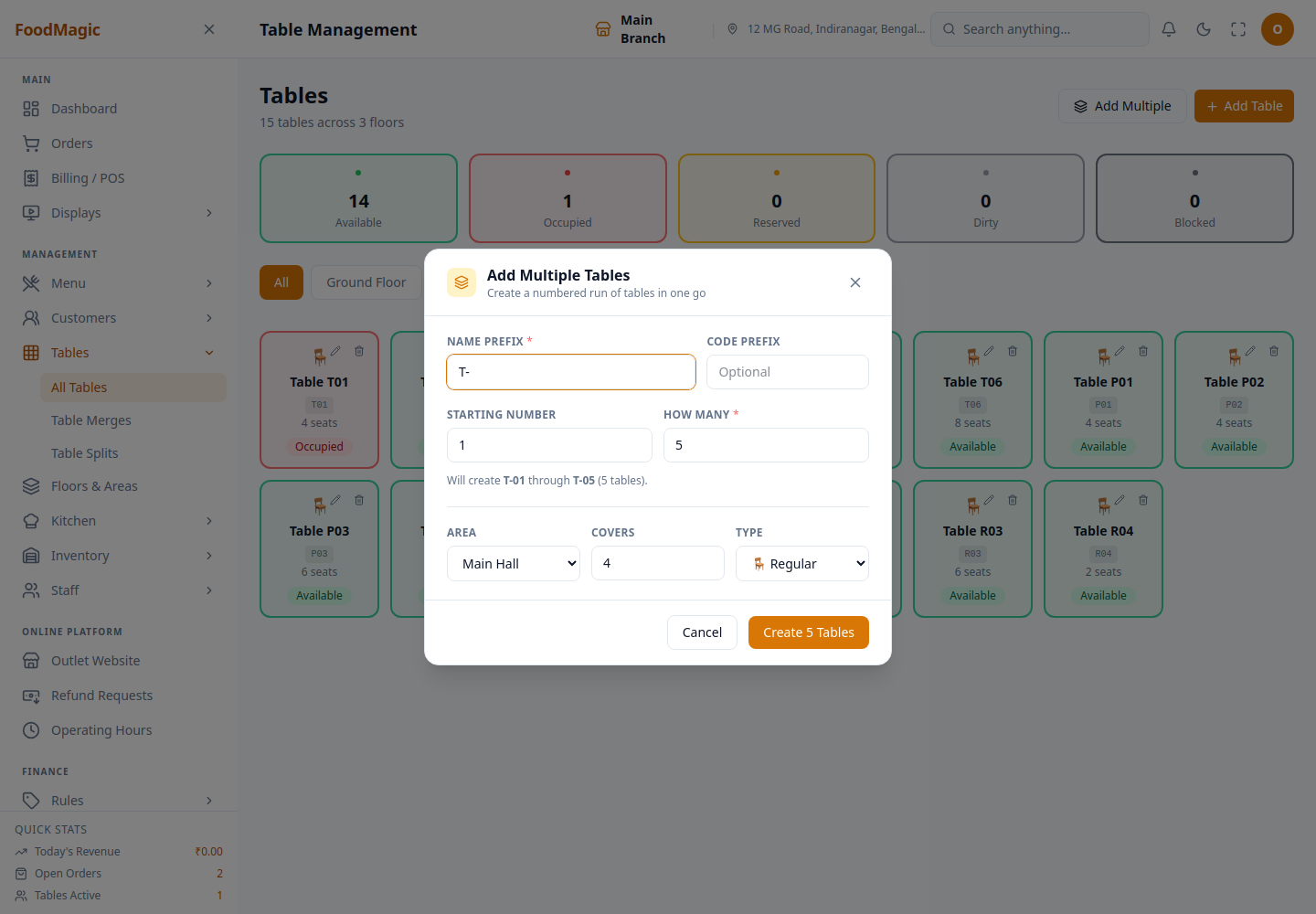
The tables themselves, each belonging to one area. You can add them one at a time, or many at once. Adding tables in bulk lets you create up to 50 in one go — you choose a prefix, and they're numbered automatically. This is much quicker than adding thirty tables one by one.
Tables is one of the five categories in the Search anything… box in the top header, alongside Orders, Customers, Menu Items, and Staff. See Orders → Finding an order for how that box works.
This page doesn't have its own search box yet. So clicking a table result there brings you to this page, not straight to that one table.
During service
| Action | What happens |
|---|---|
| Free a table | Marks it available again once guests leave |
| Merge tables | Joins two or more tables into one for a larger group |
| Unmerge | Separates a merge back into its individual tables |
| Split a table | Records that one table's party spread across several tables |
Freeing a table understands merges. If you free the lead table of an active merge, the whole group is freed and the merge closes out — the other tables don't get left stuck as unavailable.
Freeing a table is deliberately a separate permission from editing one. This lets waiters free a table to turn it around for the next party, without also letting them redesign the floor plan.
Merging checks that every table involved belongs to the same outlet, and that none of them is already part of another active merge. For a brief moment during the merge, the tables are locked, so two staff members can't merge the same table into two different groups at the same time.
Splitting only records the split for reporting purposes. It doesn't move an order or change who owns the bill — unlike a merge, a split has no bill attached to it. There's no "un-split" action: if you remove a mistaken split record, it's deleted outright rather than reversed.
The brand can set tables to free themselves automatically once their order is complete. This is under Brand Settings → Tables. With that switched on, you only need to free a table by hand in exceptional cases.
Table display boards
There are two full-screen boards, without a sidebar, meant for a wall-mounted screen or a tablet at the host stand. These are separate from the kitchen's own boards (see Orders → The kitchen).
Both still need someone to be signed in — neither is a public page anyone can open without logging in.
Table Display shows every occupied table's order, no matter who it's assigned to. Each one has a colour-coded timer showing how long it's been running. A display board needs to show the whole floor, not just one person's tables.
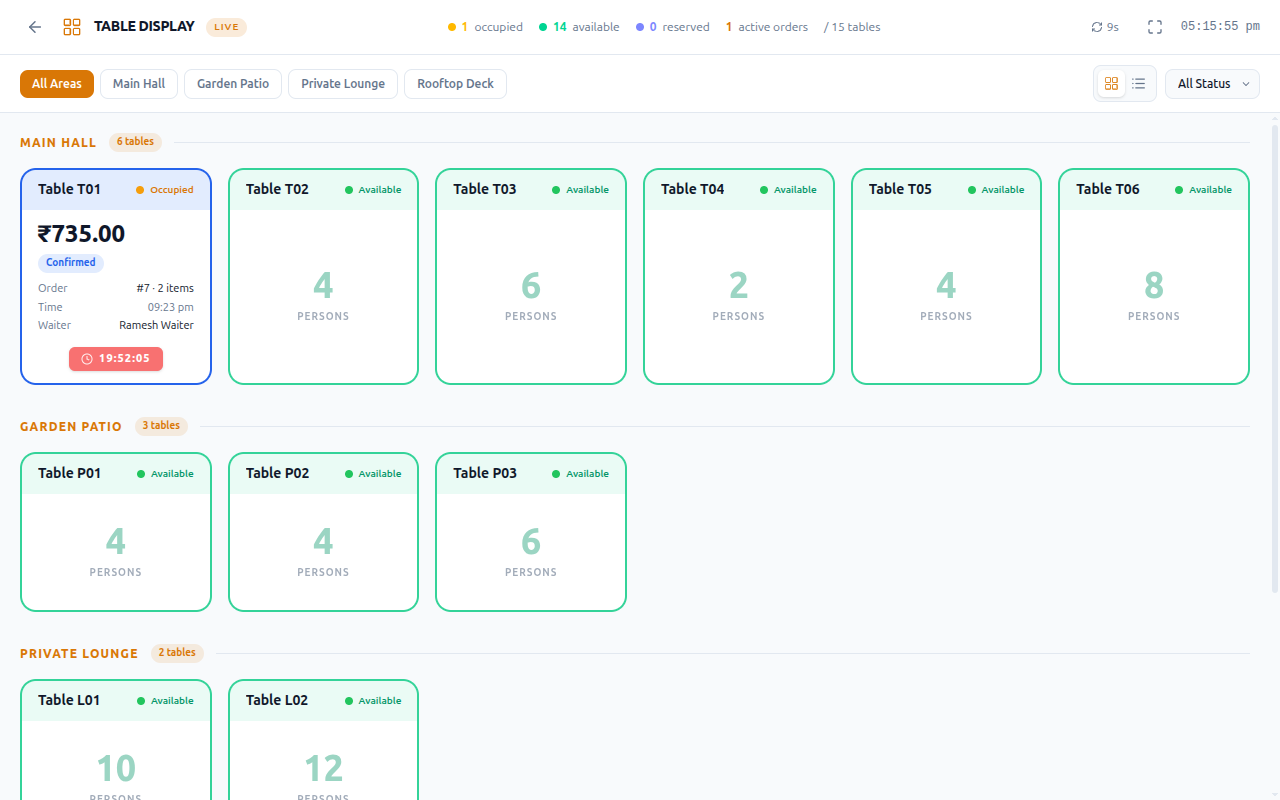
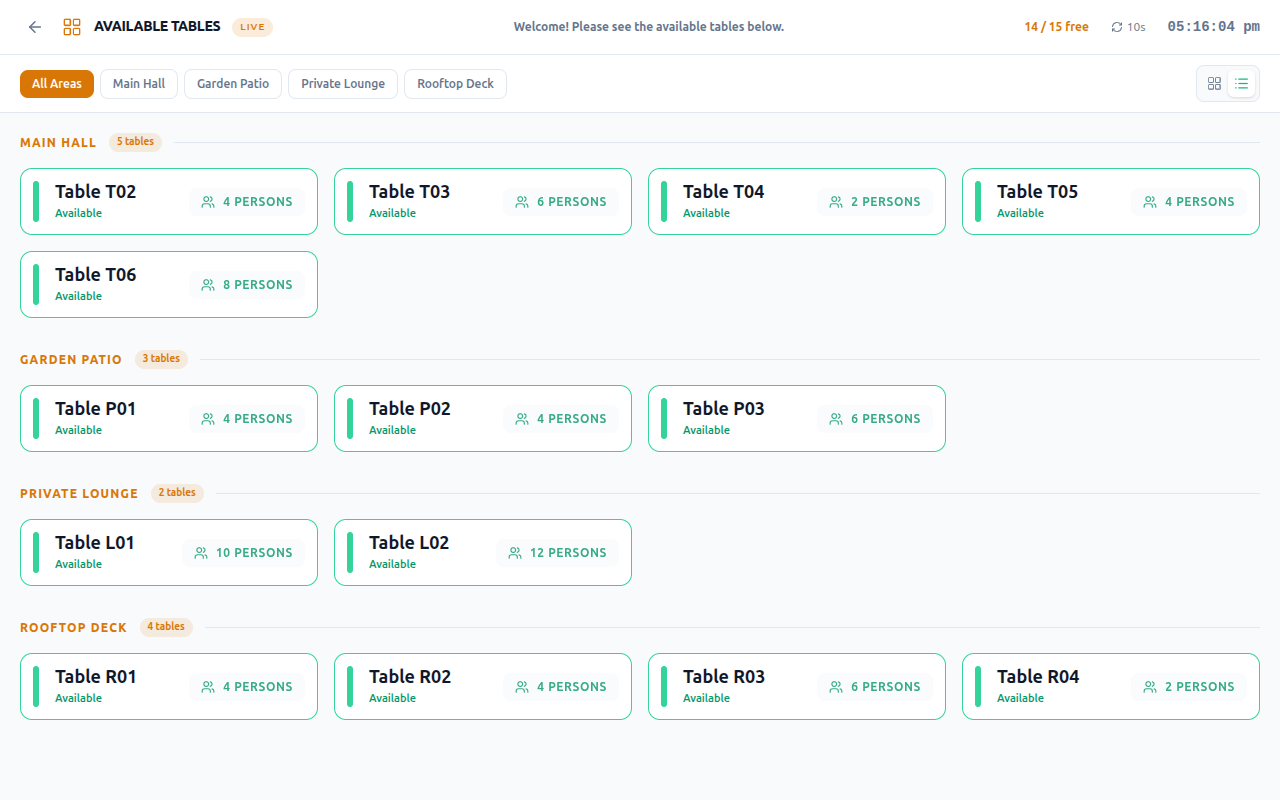
Available Tables is the same board, but filtered down to show only free tables. It's designed for guests to see, with no order or billing details shown at all.
How it is secured
Who can do what
| Action | Outlet Manager | Waiter |
|---|---|---|
| See tables | Yes | Yes |
| Free a table | Yes | Yes |
| Create, edit and delete tables | Yes | — |
| Merge and unmerge tables | Yes | — |
| Split tables | Yes | — |
| Manage floors and areas | Yes | — |
| View the display boards | Yes | Yes |
Delivery riders and the brand Super Admin have no access to this area at all. Floors, areas, and tables are purely an outlet-level concern — the Super Admin doesn't have a branch of their own to manage tables for.
Floors and areas share one set of access rights rather than each having its own. This is worth knowing, in case a screen's wording suggests otherwise. In practice, they're managed together as one "layout" permission.
There's a small inconsistency behind the scenes. On the Table Merges and Table Splits screens, access is checked once for the whole screen. On the main Tables and Floors & Areas screens, each individual action checks access on its own.
Both work correctly today, but they're built in two different ways. This is worth flagging, so that a future change to one doesn't accidentally break the pattern the other one relies on.
Own-outlet boundary. Tables, areas, and floors are all automatically locked to the signed-in user's own outlet. A manager at one branch cannot see or touch another branch's floor plan. Creating a table always attaches it to the creator's own outlet, no matter what else is requested.
The merge and split history screens follow the same rule — they only show the signed-in user's own outlet, just like the main Tables screen.
Validation. A table's name and code must each be unique within its own outlet. Creating tables in bulk is capped at 50 per batch, so a mistaken large number can't accidentally generate hundreds of tables. The system also checks that the names generated in one bulk batch don't clash with each other.
Merging and splitting both require that the tables involved actually exist, and that they're different tables.
What's recorded. Creating, editing, or deleting a floor, area, or table is recorded in the system's audit trail. Merging, unmerging, splitting, and deleting a split record are not currently recorded there. Unlike every other change in this area, there's no history of who merged or split which tables, or when.
Related pages
- Orders and the POS — what's actually happening on each table. The live kitchen queue is related, but different from splitting a table.
- Outlets and brands — describes the same branch boundary that applies to tables, areas, and floors.
- Roles & Permissions — where these rights are assigned to roles.