
Integrations
Connecting Food Magic to your payment, SMS, WhatsApp, email and food-delivery-aggregator providers.
What it is
This page covers how Food Magic connects to outside providers — the Integrations group in the sidebar, four screens deep. Each one stores the connection details for one kind of outside service; none of them decide what gets sent or charged, only how Food Magic reaches the provider.
- Payment Gateways — how a card, UPI, or wallet payment actually gets processed. Covered in Settings reference — see the "Payment Gateways" entry.
- SMS Gateways, WhatsApp Gateways and Email Gateways — how a text message, WhatsApp message, or email actually gets sent. Covered step-by-step, provider by provider, in Setting up email, SMS and WhatsApp.
All four are brand-level: configured once, shared by every outlet, and reserved for the Super Admin by default.
For every one of the four, there are two separate permissions: one to see a connection, and one to change it — except WhatsApp Gateways, which has no permission of its own and reuses SMS Gateways' pair. This means someone can be allowed to see that a gateway is connected, and which provider it uses, without being allowed to view or change its keys. See Setting up email, SMS and WhatsApp → How it is secured for the WhatsApp exception.
Food delivery aggregators — a scaffold, not a working integration
Distinct from the four gateway screens above: a page for connecting food
delivery platforms — Swiggy, Zomato, Uber Eats, Dunzo and Magicpin —
at /integrations (module="integrations", brand scope).
This screen has no sidebar link. Every other screen on this page is reachable from the Integrations group in the sidebar; this one isn't linked from anywhere in the app's navigation today — the only way in is typing the URL directly.
Nothing on this page actually connects to a delivery platform yet. The page itself says so — "Integration framework ready — connect API credentials to go live... Real-time connection tests and menu sync will be available once the platform adapter code is wired up." That's not marketing copy, it's accurate: Test Connection and Sync Menu always fail, every time, for every platform, with a message like "Connection test not yet implemented for platform 'Swiggy'." There is also no webhook endpoint registered anywhere in the app for a platform to actually deliver an order to — so Aggregator Orders and Aggregator Settlements stay permanently empty; nothing in the codebase ever writes a row into either. Toggling a platform on/off and filling in its credentials is the only part of this screen that does anything real (it just saves to the database) — everything downstream of that is inert.
The page has three parts, none of them functional beyond storing what you type in:
- Platform cards — one per platform, with a Connect/edit form, an on/off toggle, a Test Connection button (always fails), and a Sync Menu button (always fails).
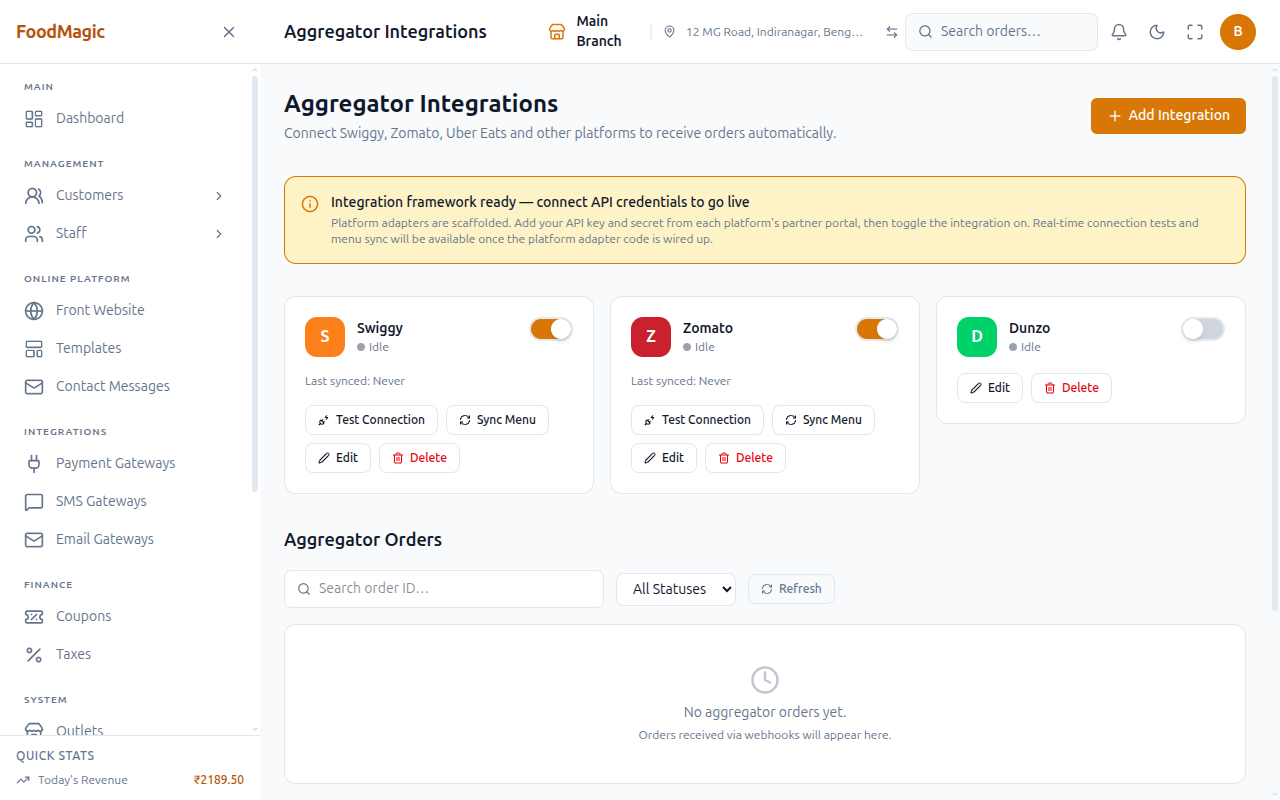
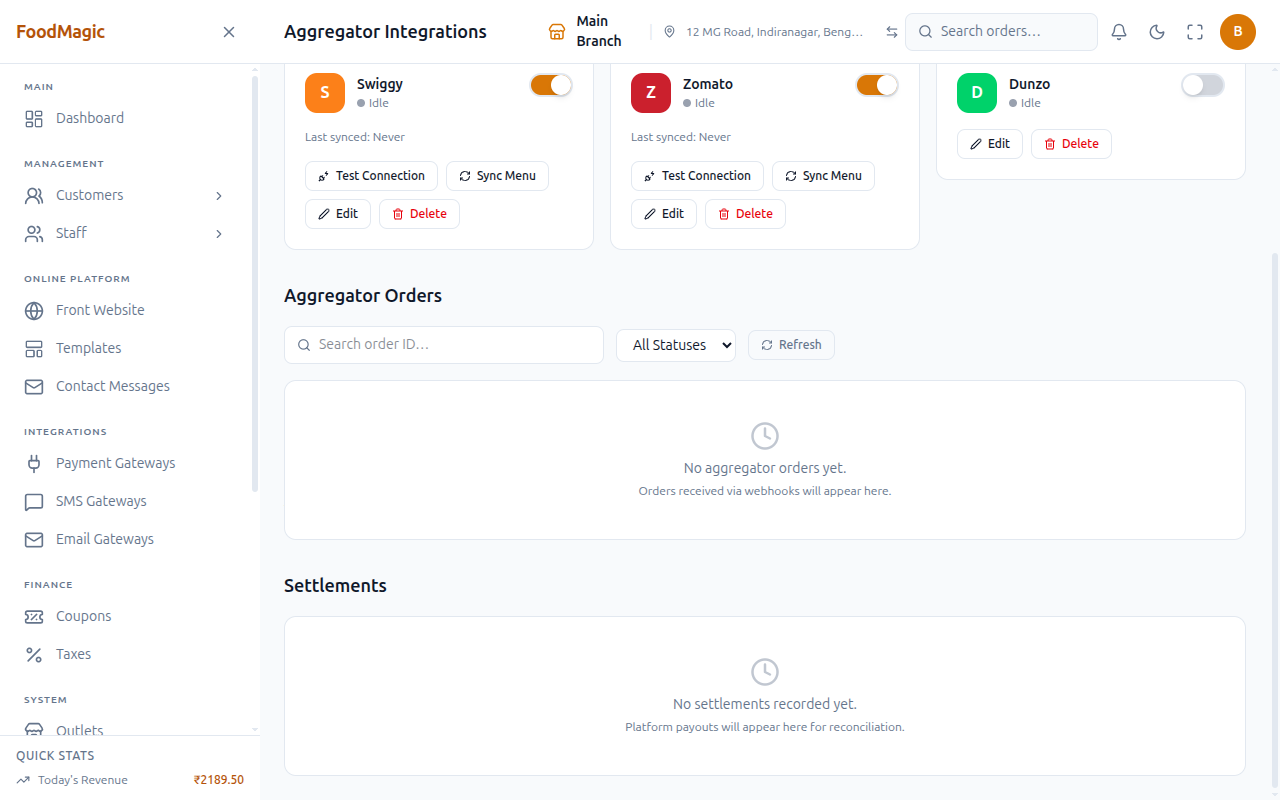
- Aggregator Orders — a log of orders received through a connected platform, filterable by platform and status. Always empty today — no webhook receiver exists to populate it.
- Aggregator Settlements — the payout record per platform: gross amount, commission, and net amount per settlement. Always empty today, for the same reason.
Only a Super Admin holds the integrations.manage permission that gates
this page by default.
The three gateway screens share one design
Whichever one you open, the shape is the same: a card per connected gateway showing its provider, a TEST/LIVE badge, an active/inactive badge, and its stored fields — masked, never shown again once saved. Add Gateway opens a provider picker on the left; choosing one swaps in only the fields that provider needs on the right.
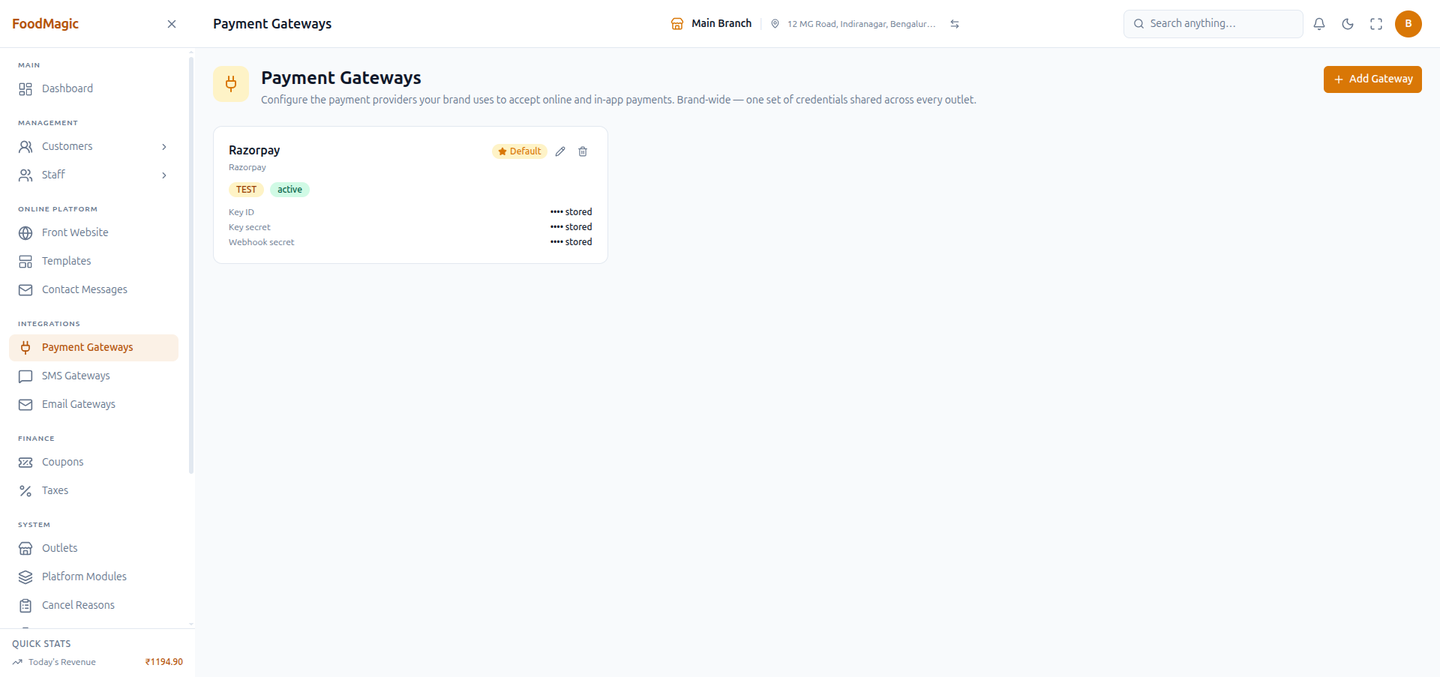
Demo: connect a gateway, live
Done as Super Admin on SMS Gateways (/settings/sms-gateways) —
the same flow works identically on the Email and Payment screens.
Five SMS providers on the left, each with a one-line description of who it's for. Nothing on the right until one is picked.
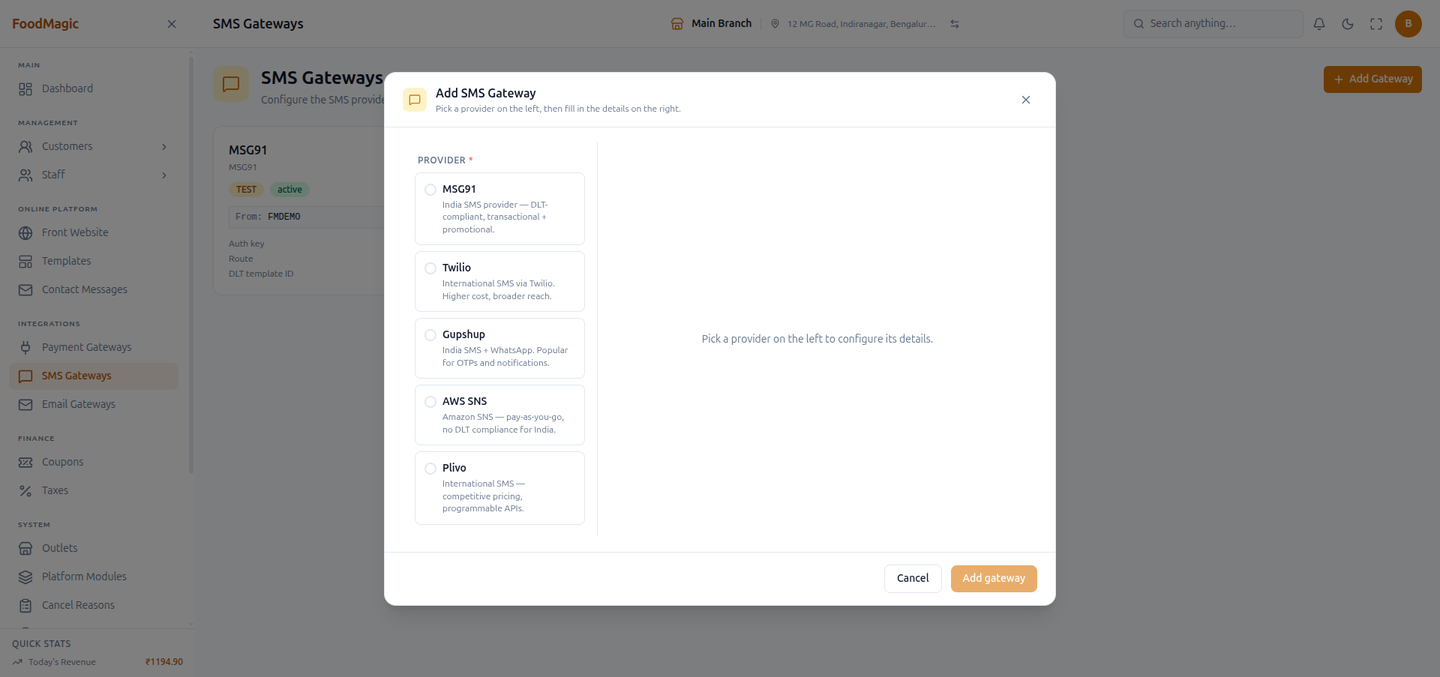
Selected Twilio — the form immediately shows Twilio's own fields (Account SID, Auth token, Messaging service SID) instead of MSG91's (Auth key, Route, DLT template ID). Mode defaults to Test, Active defaults on, Default defaults off.
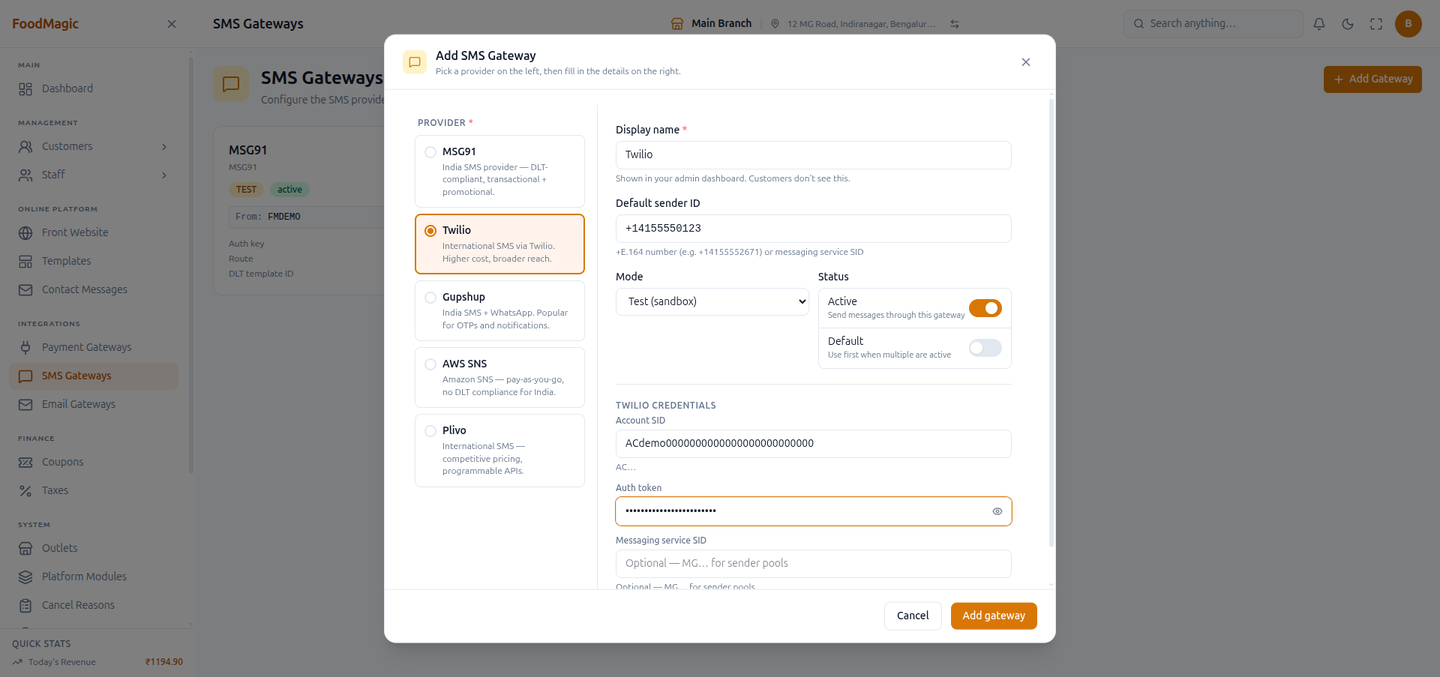
Add gateway saved it next to the MSG91 connection already there — two providers, two cards, both independently active. The secrets are already masked as "stored" the moment the card renders.
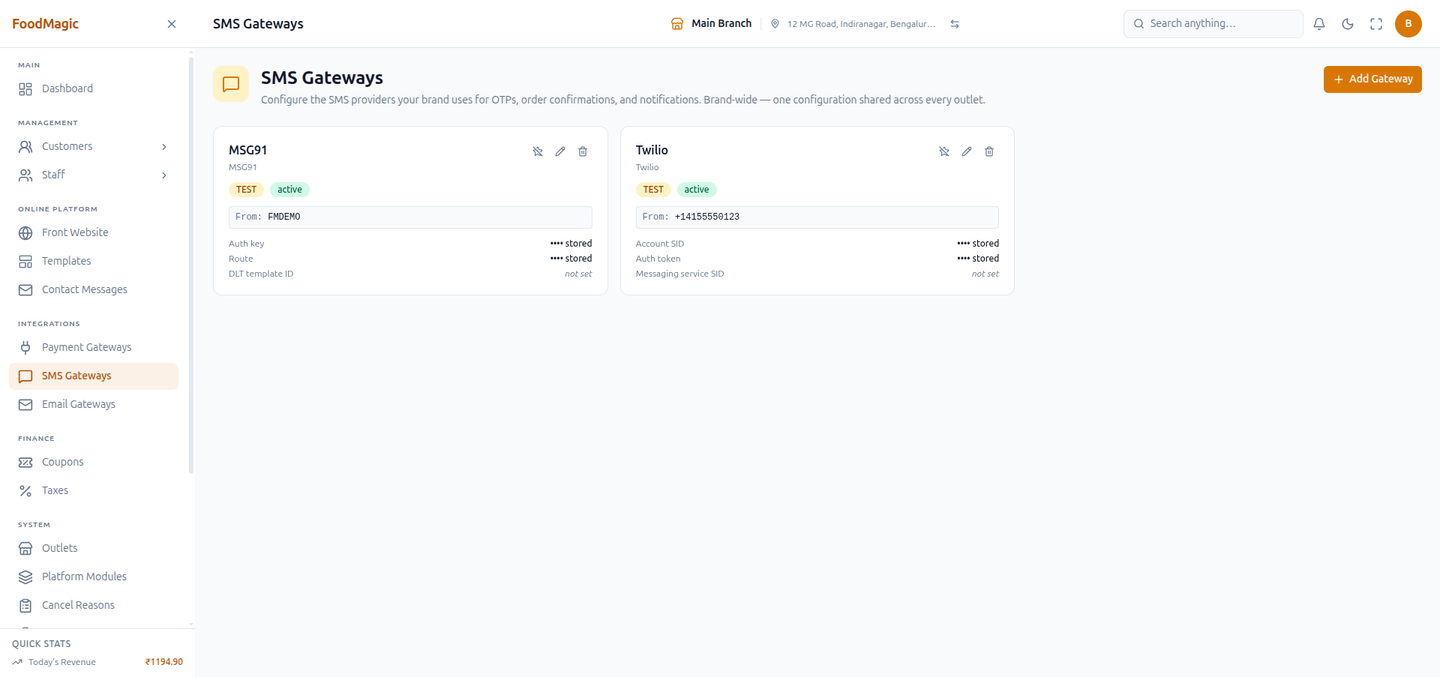
The Twilio connection above was removed again immediately after this screenshot — it existed only to demonstrate the flow.